




Finding an open access (OA) version of an journal article may only need one-click with the help of these free browser plug-ins: Unpaywall and Open Access Button.
When you find a research paper on the web, you may see a link to view the full-text, often in pdf format. It is available most likely because the Library has already paid subscription to the journal. But when you hit an article that is not covered by our library subscription, don't give up yet! There may be an open access copy somewhere, but where? Our Research Bridge post this week introduces two handy tools that help you locate OA copies of articles. They are easy to install and easy to use.
Unpaywall
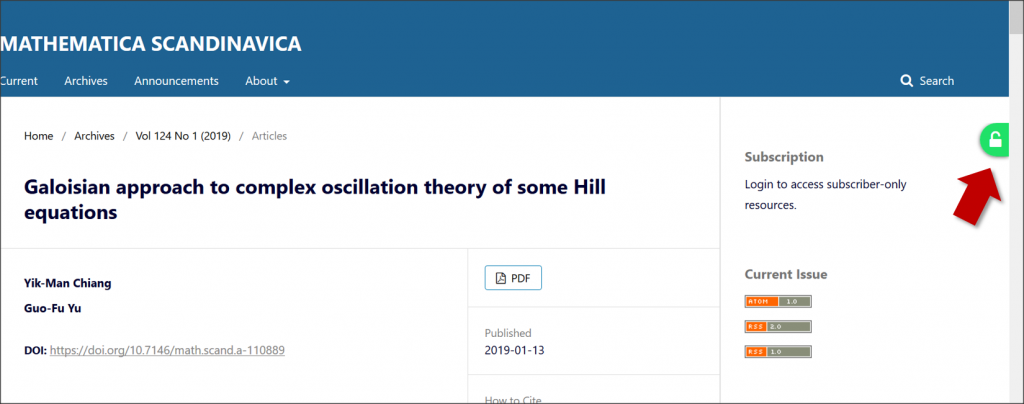
Run by the nonprofit organization Impactstory, Unpaywall is an open database of millions of free research articles. You can download their browser extension, which shows a green tab with an open padlock on your browser when an article is openly accessible. Clicking the green tab takes you to the OA copy:
Download the Unpaywall padlock with this link.
Open Access Button
Open Access Button look for OA articles through a button that you can click. After you install the browser extension, the button appears as a orange OA logo on your browser menu bar:

When you are at a webpage of a journal article and click the Button, the service searches for an OA version of that article. If found, the full-text opens in a new tab in your browser. Download the browser extension at the Open Access Button homepage.