




Use Scite.ai like a Pro

You may already know that our library subscribes to scite.ai, a popular AI research tool for searching literature. Are you using it to its full capabilities? In this post, we highlight five features of scite.ai and provide practical tips to use it with real-world research scenarios.
1. Analyze Citation Impact with Smart Citation Search
| Use Case: See How a Work is Cited |
| As an early career researcher, you want to evaluate how your publications are cited, particularly to identify contrasting viewpoints from other researchers. |
scite.ai’s key strength is in providing citation contexts by classifying citations as supporting, mentioning, or contrasting, using nearly 2 billion citation statements from full-text articles (both open access and paywalled, where indexing agreements exist).
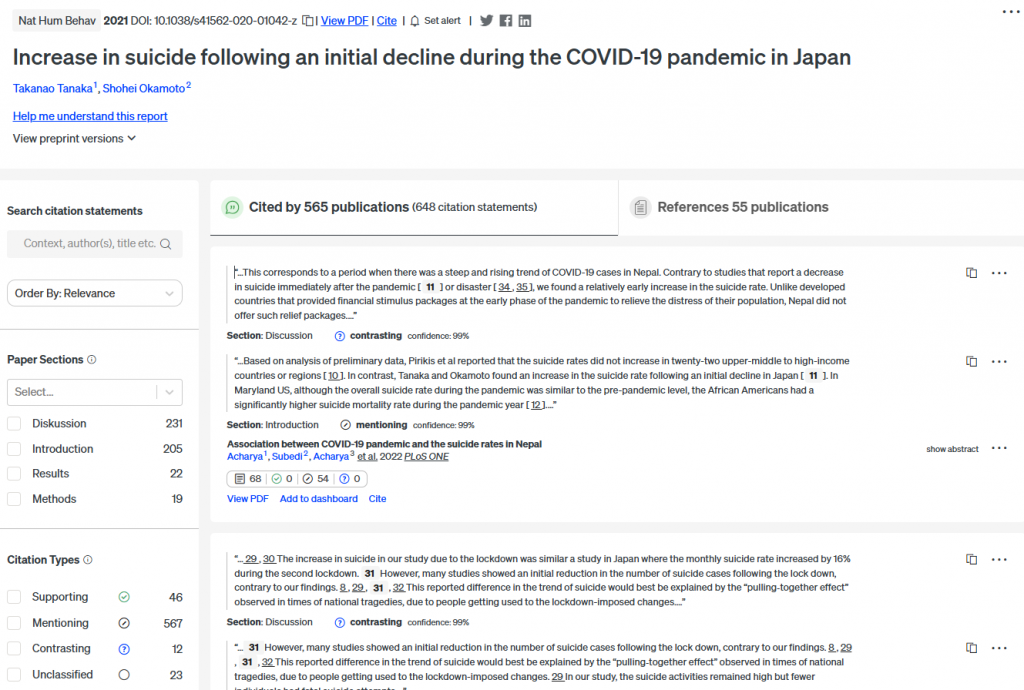
It can also evaluate the citation impact of researchers and organizations by analyzing citations linked to their publications. However, misassignments or missing articles at an author profile can occur. For better accuracy, it is advised to create a custom dashboard by manually adding your papers, such as importing a list of DOIs of your papers, and monitor citation trends there.
2. Pinpoint Relevant Content with Advanced Search
| Use Case: Search for Papers or Citation Snippets? |
| If you’re studying biases in machine learning algorithms, use Advanced Search to locate specific papers or citation statements (citation snippets) by setting precise criteria. |
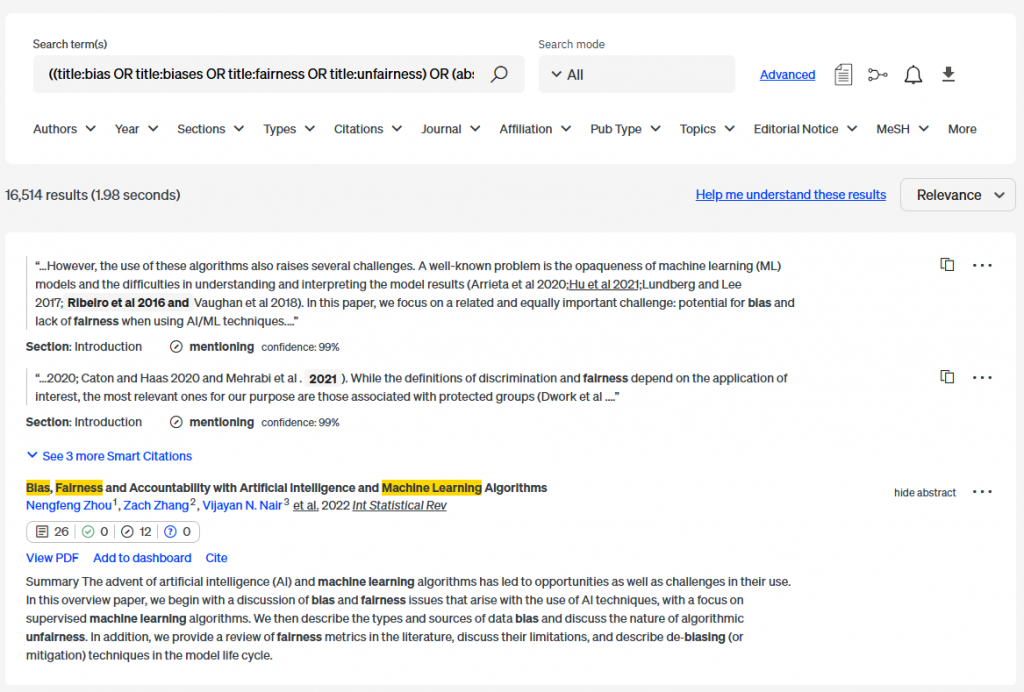
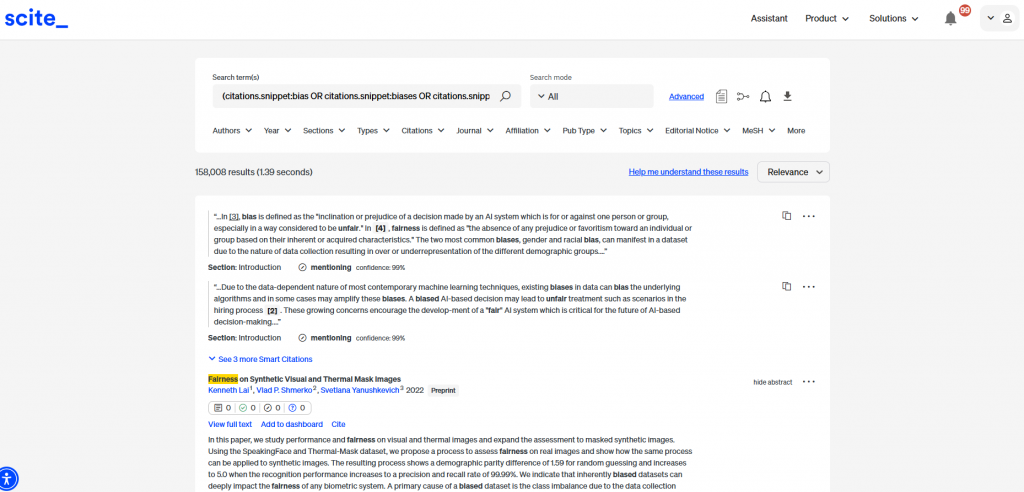
scite.ai’s Advanced Search supports field-specific queries (e.g., title, abstract, citation statements) and Boolean combinators (AND, OR, NOT) for refined results. It can target citation statements - typically three sentences around an in-text citation - provided full-text access is available, subject to open access status or publisher agreements.
3. Verify Citation Reliability with Reference Check
| Use Case: Am I Citing Credible Sources? |
| Before submitting your manuscript, upload it to scite.ai to use Reference Check. The tool scans your references to identify any issues, such as retractions or editorial concerns, ensuring your work is based on credible sources. |
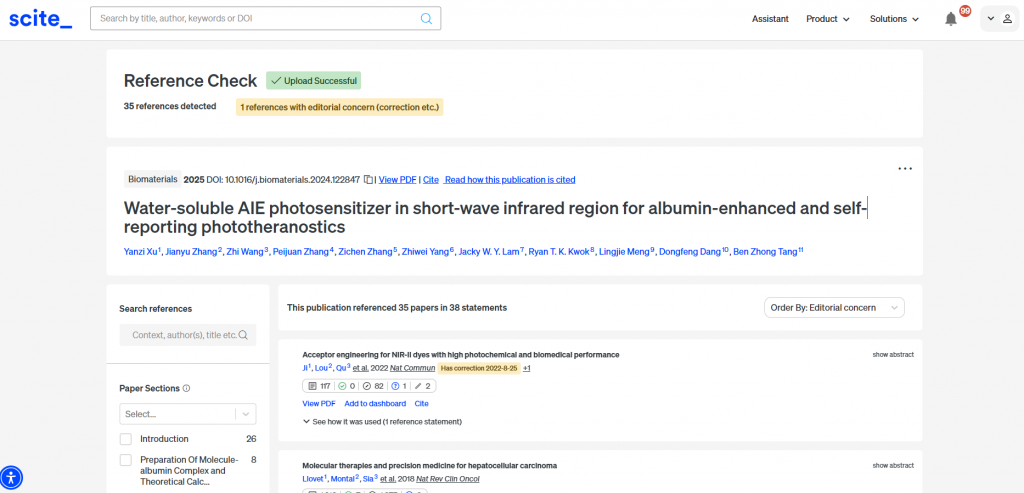
scite.ai’s Reference Check feature helps verify the integrity of your citations by checking for any issues such as retractions or editorial concerns. This tool is particularly valuable for avoiding unintentional errors that could undermine your work’s credibility.
4. Customize Scite.ai Assistant for Tailored Insights
| Use Case: Find Answers from Your Custom Dashboard |
| As a university administrator, ask, “What are HKUST’s key strengths in promoting good health and well-being (SDG Goal 3) in its research?” using a dashboard of 800 papers published between 2019 and 2024. Adjust parameters like year range or journal sources for customized insights. |
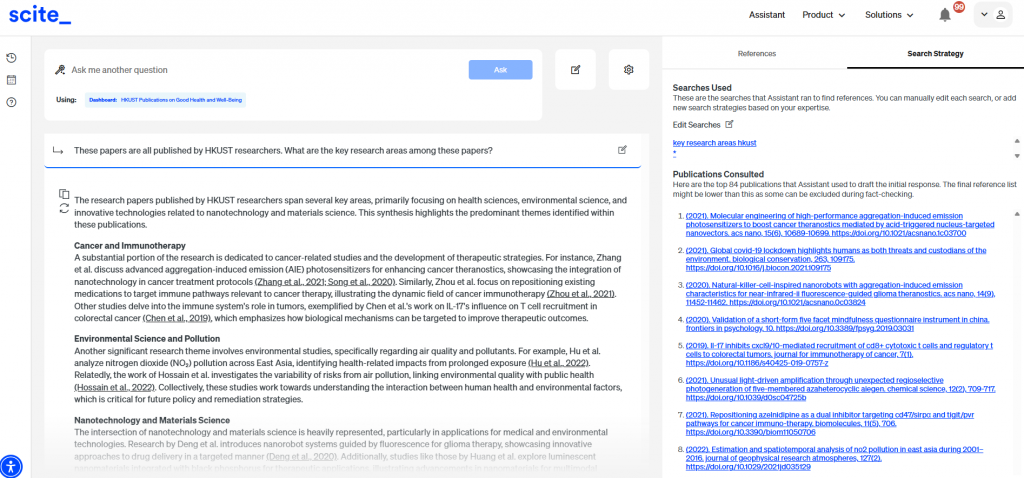
scite.ai Assistant also allows customizable responses by drawing on specified datasets, such as dashboards or documents. You can set criteria like publication year, journal sources, and refine keywords used for the search queries, ensuring answers are both relevant and reliable.
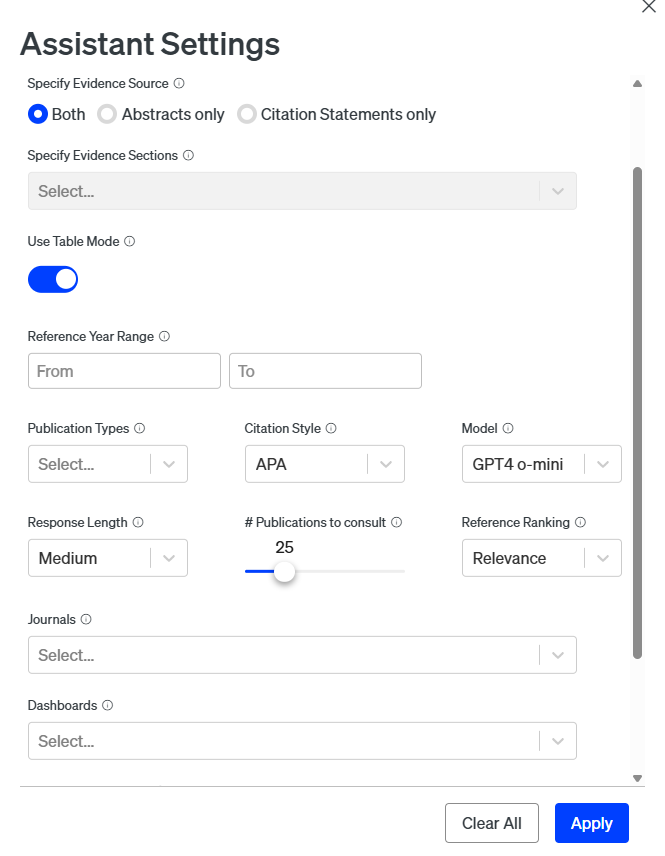
5. Organize Literature Reviews with Table Mode in Scite.ai Assistant
| Use Case: Compare Paper Insights in Table Mode |
| For a literature review on the citation advantage of open access publishing, use Table Mode to structure search results into a table with custom columns for quick pattern identification. |
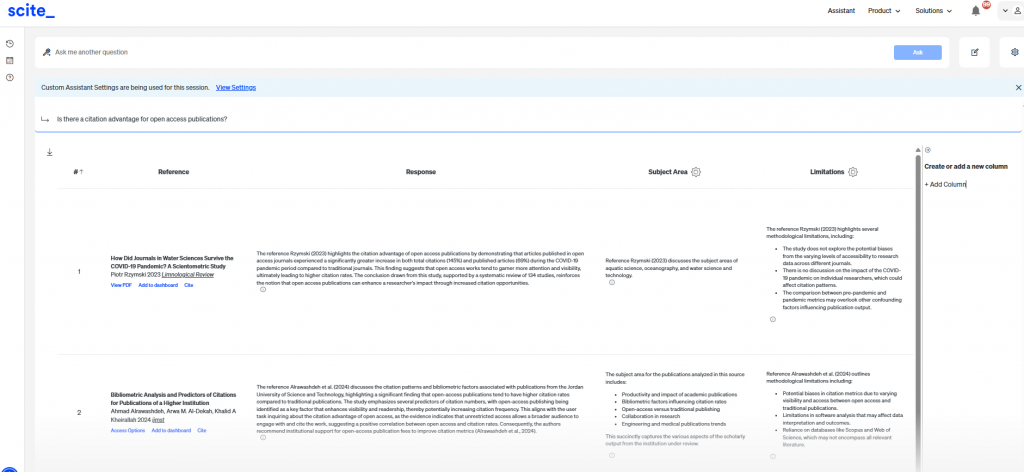
The new Table Mode feature in scite.ai Assistant structures search results into editable tables, facilitating side-by-side comparisons of multiple studies. Enable this feature by checking the “Use Table Mode” box in the Assistant settings.
Caveats and Limitations
scite.ai is a powerful tool, but its effectiveness is constrained by its data sources, which rely on indexing agreements with publishers and data holders (see data sources and journals covered).
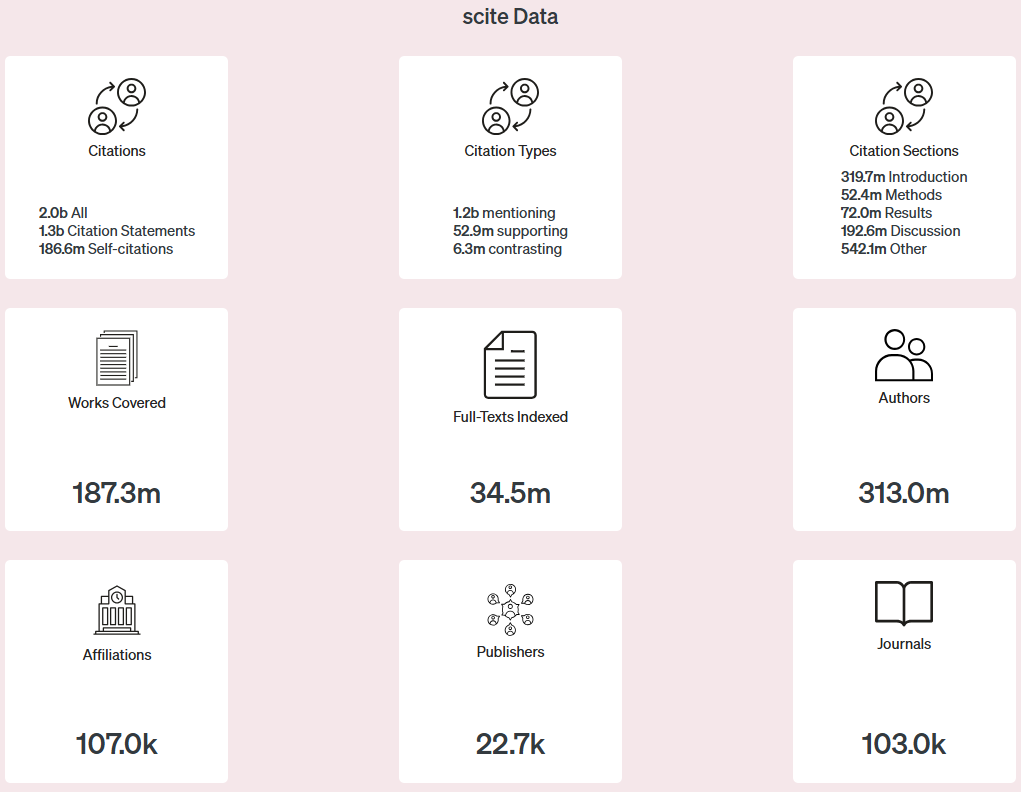
While it indexes 187.3 million works, full-text access is available for only 34.5 million, potentially resulting in incomplete citation searches and analyses. For additional insights into scite.ai’s performance, including factors affecting its AI-powered responses, refer to our previous post evaluating a range of AI research tools.
To address these gaps, use scite.ai alongside other resources like Web of Science, Scopus, Google Scholar, and manual reviews. For niche topics with limited publisher partnerships, cross-checking findings with other databases is essential to ensure comprehensive results.
Learn More from Our Recent Webinar
Last month we hosted a webinar which introduced scite.ai to our users. The recording is available at this link. For additional guidance on optimizing the AI Assistant, explore the AI Prompt Handbook for Scite Assistant: Optimize AI Outputs & Accelerate Your Research.
